Wednesday, November 25, 2009

JavaScript's Evil Equality Twins (Equality vs Identity)

In JavaScript, there exists two sets of equality operators:

=== and !==

and, as Douglas Crockford likes to call them, their corresponding evil twins :

== and !=

What's the difference?

The first set of operators, called Identity Operators ( === and !== ), produce true (or false) whenever the given operands are both of the same type and have the same value.

On the other hand, the evil twins, formally known as Equality Operators ( == and != ), do type-coercion whenever the operands are of a different type before checking for value equality.

Type-Coercion?

First of all, don't get thrown off by the word coercion; it's just another word for conversion.
In Computer Science, there are two forms of type conversions, implicit and explicit.  The term used for implicit type conversion is coercion and the term used for explicit type conversion is casting.

In most languages, explicit casting is done via the parenthesis:

int main () {
    float fl = 7.2;
    int n = (int) fl;   // (int) makes an explicit cast
    //n is now 7
}

But JavaScript, being a loosely typed language, never casts.

Implicit casting, coercion, is the automatic type conversion that is done internally by the compiler.  For example, we can rewrite the above C code as such:

int main () {
    float fl = 7.2;
    int n = fl;   //now the C compiler is internally coercing the operator to an integer 
    //n is now 7
}

This time, the compiler is implicitly casting fl to an integer.

What's wrong with type-coercion ?

Earlier on I said that the evil twins do type-coercion before checking for type-equality, and unfortunately the rules by which they coerce the values are complicated and unmemorable.

Here are two cases of comparing the values with both sets:

//Using the equality operator (==)

true == 1; //true, because the boolean value true is converted to 1 and then compared
"2"  == 2  //true, because 2 is converted to "2" and then compared


//Using the identity operator (===)

true === 1  //false
"2"  === 2  // false

Here is a list of other "interesting" cases:

'' == '0'          //false
0  == ''           //true
0  == '0'          //true

false == 'false'   //true
false == '0'       //true

false == undefined //false
false == null      //false
null  == undefined //true

' \t\r\n ' == 0    //true

All of the comparisons shown above produce false with the === operator.

Therefore in my opinion, you should never use the Equality operators, but only use the Identity operators, === and !==

Simple enough?

Well, not really...because as usual, there has to be a caveat. Take a look at the following example:

var x = new String('hello');
var y = 'hello';

console.log(x === y); //shows false
console.log(x == y);  //shows true

As you can see, a false is returned when we used the Identity operator! This is because:

console.log(typeof x); // 'object'
console.log(typeof y); // 'string'

When we used the Identity operator ===, it returned false because x and y are not of the same type! This is due to the fact we used the constructor to initialize a string (new String()), the primitive value was boxed into an Object.

The moral of this is to Always use literals to initialize values and this goes for all the primitive types. I will leave further explanation of this for another post.


3D Rotating Tag Cloud for Blogger (Cumulus Cloud)

Today I implemented a rotating 3D tag cloud, called a Blogumus.  Such a script was initially written as a plugin for WordPress, called WP-Cumulus.

But Amanda from BloggerBuster has ported a version of the WordPress plugin to Blogger; and it's now called Blogumus.

Here's an example of the Blogumus in action:


Implementing the Blogumus for your Blogger blog is very easy:

  1. Find the side-bar section in your layout's html. The sidebar section starts with the following tag:


    <b:section class="sidebar" id="sidebar" preferred="yes">

  2. In your side-bar section (ie in the tag mentioned above), paste the following code:


    <b:widget id='Label99' locked='false' title='Labels' type='Label'>
    <b:includable id='main'>
    <b:if cond='data:title'>
    <h2><data:title/></h2>
    </b:if>
    <div class='widget-content'>
    <script src='http://halotemplates.s3.amazonaws.com/wp-cumulus-example/swfobject.js' type='text/javascript'/>
    <div id='flashcontent'>Blogumulus by <a href='http://www.roytanck.com/'>Roy Tanck</a> and <a href='http://www.bloggerbuster.com'>Amanda Fazani</a></div>
    <script type='text/javascript'>
    var so = new SWFObject("http://halotemplates.s3.amazonaws.com/wp-cumulus-example/tagcloud.swf", "tagcloud", "240", "300", "7", "#ffffff");
    // uncomment next line to enable transparency
    //so.addParam("wmode", "transparent");
    so.addVariable("tcolor", "0x333333");
    so.addVariable("mode", "tags");
    so.addVariable("distr", "true");
    so.addVariable("tspeed", "100");
    so.addVariable("tagcloud", "<tags><b:loop values='data:labels' var='label'><a expr:href='data:label.url' style='12'><data:label.name/></a></b:loop></tags>");
    so.addParam("allowScriptAccess", "always");
    so.write("flashcontent");
    </script>
    <b:include name='quickedit'/>
    </div>
    </b:includable>
    </b:widget>


To customize the dimensions and background-color, modify the following line from the code above:

var so = new SWFObject("http://halotemplates.s3.amazonaws.com/wp-cumulus-example/tagcloud.swf", "tagcloud", "240", "300", "7", "#ffffff");

The default values are:
  • Width: 240
  • Height: 300
  • Background Colour: #ffffff

To change the color of the font, modify it from the following line:

so.addVariable("tcolor", "0x333333");

The default color is #333333

This tutorial was adopted from Amanda's Tutorial.


Tuesday, November 24, 2009

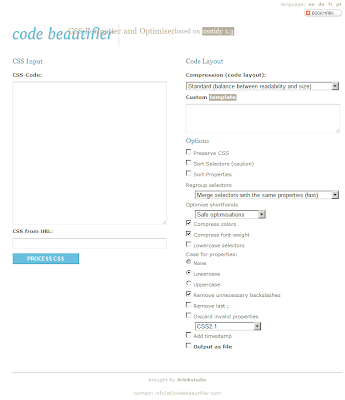
Code Beautifiers

Don't you hate it when you want to follow some code that's virtually unreadable because of it's horrific formatting?  Believe me, you're not alone.

That's why in this post I am going to compile a list of Code Beautifiers.


JavaScript


CSS


HTML


'What I was listening to' box in my posts

I recently implemented a 'system' in where I show one or more songs I was listening to whilst writing a blog post, in this form:


To do that, I wrote a small script:

var blogmusic = function () {
    var lastContainerDone = 0;
    return function (music) {
        var musiccount = music.length,
            blogmusic = $(".blogmusic").eq(lastContainerDone++),
            header = $("<div/>").addClass("header");
        header.append("<center>What I was listening to</center>");
        var musiclist = $("<div/>").addClass("musiclist");
        for (var i = 0; i & lt; musiccount; i += 1) {
            var song = music[i];
            var listing = $("<div/>").addClass("listing");
            var songname = $("<span/>").addClass("songname").html('<a href="' + (song.link || '#') + '" target="_blank">"' + song.name + '"</a>');
            var artist = $("<span/>").addClass("artist").html('- ' + song.artist);
            listing.append(songname);
            listing.append(artist);
            musiclist.append(listing);
        }
        blogmusic.html(header);
        blogmusic.append(musiclist);
    };
} ();

And I invoke the script in my blog posts like such:

<div class="blogmusic">
<script>
blogmusic([
{ 
    artist : 'Jerry Lee Lewis',
    name : 'Whole Lotta Shakin\'',
    link : 'http://listen.grooveshark.com/#/song/Whole_Lotta_Shakin/6325468'
}
]);
</script>
</div>

The correct way to delete an element from an array in JavaScript

In JavaScript, there exists an operator called delete.  This operator is used to remove properties from objects, and since arrays in JavaScript are really objects, it can be used to remove elements:

var arr = ['a','b','c','d','e'];
delete arr[2];

//arr is now ['a', 'b', undefined, 'd', 'e']

As you can see from the above code, the element is removed but this leaves a hole in the array because the element was replaced with undefined.

Therefore, the correct way to remove an element an array from an element is by using the splice method.


Arrays in JavaScript have a method called splice.  To remove an element from array, we will use it is like such:

var arr = ['a','b','c','d','e'];
arr.splice(2, 1);

//arr is now ['a', 'b', 'd', 'e']

The first argument is an index (ordinal) in the array from where to start deleting and the second element is the number of elements to delete. Thus, with 2 and 1 as parameters, we are starting at index 2 and removing 1 element. (Additional parameters get inserted into the array).

One thing to note is that with splice, the property with the value 'd' has it's key changed from 4 to 3 and because every property after the deleted property will be removed and reinserted with a new key, this might take a while for large arrays.


Sunday, November 22, 2009

Passing a pointer to a function with parameters in JavaScript (Partial Function Application)

In JavaScript, you can easily add a direct reference to a function with no parameters like such:

var f = function () {  };

var pf = f; // passing a direct reference to the function f

pf(); //invoking the function f

But how can you pass a reference to a function with parameters?

Say I have the following function:

var f = function (arg1, arg2) {  };

var pf = f(4, 5); // you can't do that, because that invoke f and put 
                  // it's result into pf, instead of a reference to f

pf();

One alternative is by invoking that function within an anonymous function:

var f = function (pars) {  };

var pf = function (pars) {
    f(pars);
};

pf(200);

What I am doing in the above example is wrapping the function invocation of f with an anonymous function, and passing a reference of that anonymous function to pf.

That will then allow me to invoke pf with parameters, which will in turn invoke f with the parameters passed to pf.

But in the above example, although it works, I am not passing a direct reference to function f, but rather a reference to a function that invokes f.

Fortunately enough, there is a way we can pass a direct reference to a function including its arguments, and this is called Partial Function Application.


Take a look at the following function:

var partial = function (func /*, 0..n args */) {
    var args = Array.prototype.slice.call(arguments, 1);
    return function () {
        var allArguments = args.concat(Array.prototype.slice.call(arguments));
        return func.apply(this, allArguments);
    };
};

With the partial function, I can now do:

var f = function (pars) {  };

var pf = partial(f, 200);

pf(/* you can add more arguments */); //invokes f with the previously 
                                      //added arguments (in this case, 200);

Let's go through the partial function step-by-step:

First of all, as you can see from the function signature, I declared only one formal argument for the partial function: func; yet when I am invoking the function, I passed in more than one parameter: 

partial(f, 200);

This is because every function in JavaScript has a property named arguments (JavaScript is a functional objected-oriented language, and thus functions can have both methods and properties), which is an array-like object that allows you to access all the actual arguments in the function (I will leave further explanation of the arguments object arguments for another post).


Now in the first line of the function we are taking a copy of the arguments array, excluding the first argument (which will be the pointer to a function), func, and storing it into a variable. The reason we are doing this will be clear later on.

But how exactly am I taking a copy of this arguments object ?

To make a copy of an array in JavaScript, one should use the array's inbuilt method slice.  The slice method returns a part ( a slice) of the array it is invoked on.  But if you remember earlier on I told you that arguments is an 'array-like' object. This is because it has the length property, but lacks all the methods that are available to normal arrays; thus we cannot call slice directly from arguments (i.e. we cannot do arguments.slice) 

Therefore, we are calling the slice method directly from the Array.prototype, passing in arguments as the first parameter and 1 as the second parameter.  That will return a copy of the arguments 'array' excluding the first element; the first element being the function that is passed into the partial function, func.

The next line of the function is returning an anonymous function.  This means that we are declaring a closure.  The explanation of closures is beyond this post, but I will just explain it lightly.

In JavaScript, whenever a function declares an inner function and returns it, it is creating a closure.  This is because the function that is being returned (inner) will still have access to the local variables of the function that is returning it (outer), even after the outer function has returned!  In C terms, this could mean that instead of the variables in the main function being allocated in the stack-frame, they are malloc-ed!

Now back to the partial function.

The first line of the inner function is making a copy of the arguments object (of the inner function) and concatenating it with the copy of the arguments object that we copied in the outer function, args.  And that is the reason why we took a copy of the arguments object when we first entered the outer function, so now we could access it and concatenate it with the new arguments (of the inner function).

The final line is then invoking the function func that was passed as an argument (from the outer function) with the current function as it's context (this) and with an array of all the arguments we built earlier on.
This is because the apply method takes 2 arguments; the first one is the object that will be bound to this and the second an optional array arguments.


Saturday, November 21, 2009

Function pointers in JavaScript

What do you think the following code alerts ?

var f = function () {
    alert('Function 1');
};

var pf = f;

f = function () {
    alert('Function 2');
};

pf();

If you answered 'Function 2', then you are wrong


First, a function f was created which now occupies a block of memory. Internally, the only reference the function has is the assigned location in the JavaScript's Heap.

When you a pass a function (var pf = f;), you are only passing a pointer to a function. This means that you are passing a reference to the memory location of the function, not the function name!

In the above code, pf is a pointer to the function f created beforehand. When we later on change to original function f to point to a different function, pf still retains its pointer to the original allocated function.

The only difference now is that the variable f is now pointing to a different memory address of the Heap (because it is now pointing to a new function)